Introduction
AI Agents Need A Safety Layer
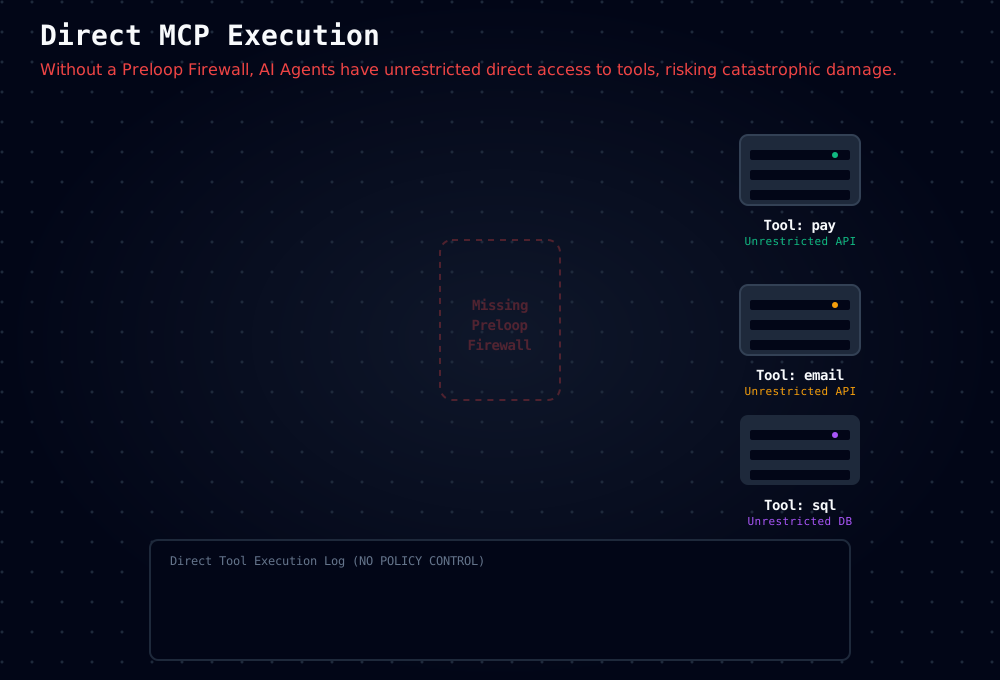
AI agents can call real tools with real consequences: deploy code, edit infrastructure, send money, access data, or change production systems in seconds.
The problem is not that agents are useless. The problem is that unrestricted tool access turns one bad prompt, one hallucination, or one compromised agent into a production incident.
What Preloop Does
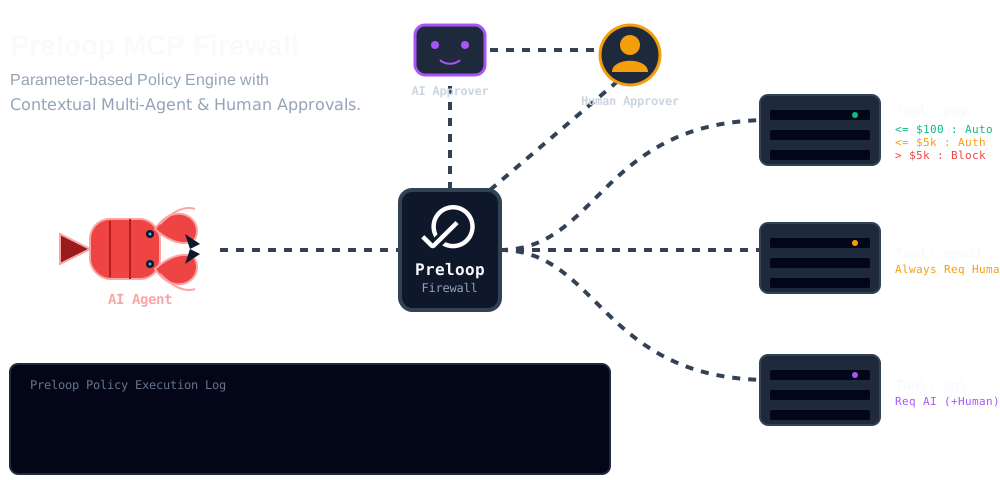
Preloop is the Safety Layer for AI agents: an MCP-native policy engine that sits in front of tools and decides what happens next.
For every tool call, Preloop can:
- Allow the action immediately
- Deny the action with a clear reason
- Require approval from the right human workflow
- Require justification before the agent proceeds
- Record the full audit trail for review and compliance
This lets you keep fast automation for low-risk operations while keeping humans in control of the risky ones.
Why Teams Use Preloop
- Engineering teams protect deployments, schema changes, and cloud operations.
- Platform and DevOps teams enforce access rules without rewriting existing tools.
- Security and compliance teams get auditability and human checkpoints for sensitive actions.
- Finance and operations teams apply approval workflows to payments, refunds, and business-critical actions.
Preloop works with Claude Code, Cursor, Cline, Windsurf, and any other MCP-compatible agent.
Edition notes
- Open Source gives you the core Safety Layer with policy enforcement and human approvals.
- Enterprise adds richer policy controls such as CEL conditions, team-based workflows, escalation, and additional integrations.
- Mobile apps are proprietary clients that work with hosted and self-hosted Preloop deployments.
Start Here
The quickest way to understand Preloop is to follow the two quick starts:
- Part 1: Safety Layer (5 min) — Create your account, connect an MCP server, define policies, and test approvals.
- Part 2: Agentic Flows (5 min) — Build an event-driven workflow that uses protected tools.
If you want the full walkthrough first, watch the current demo on YouTube.